03.1 Section
Book your Rawdah slot
The Rawdah — الروضة الشريفة, “a garden from the gardens of Paradise” — sits in Masjid an-Nabawi in Madinah. Entry needs a free Nusuk permit, and booking is stricter than Umrah: separate times for men and women, a once-a-year limit, and a confirmation step you can’t skip.
The golden ruleBook your Rawdah permit before you travel to Madinah. Slots open in batches and can fill within seconds — don’t wait until you reach the hotel.
-
1
Open Rawdah and choose who it’s for
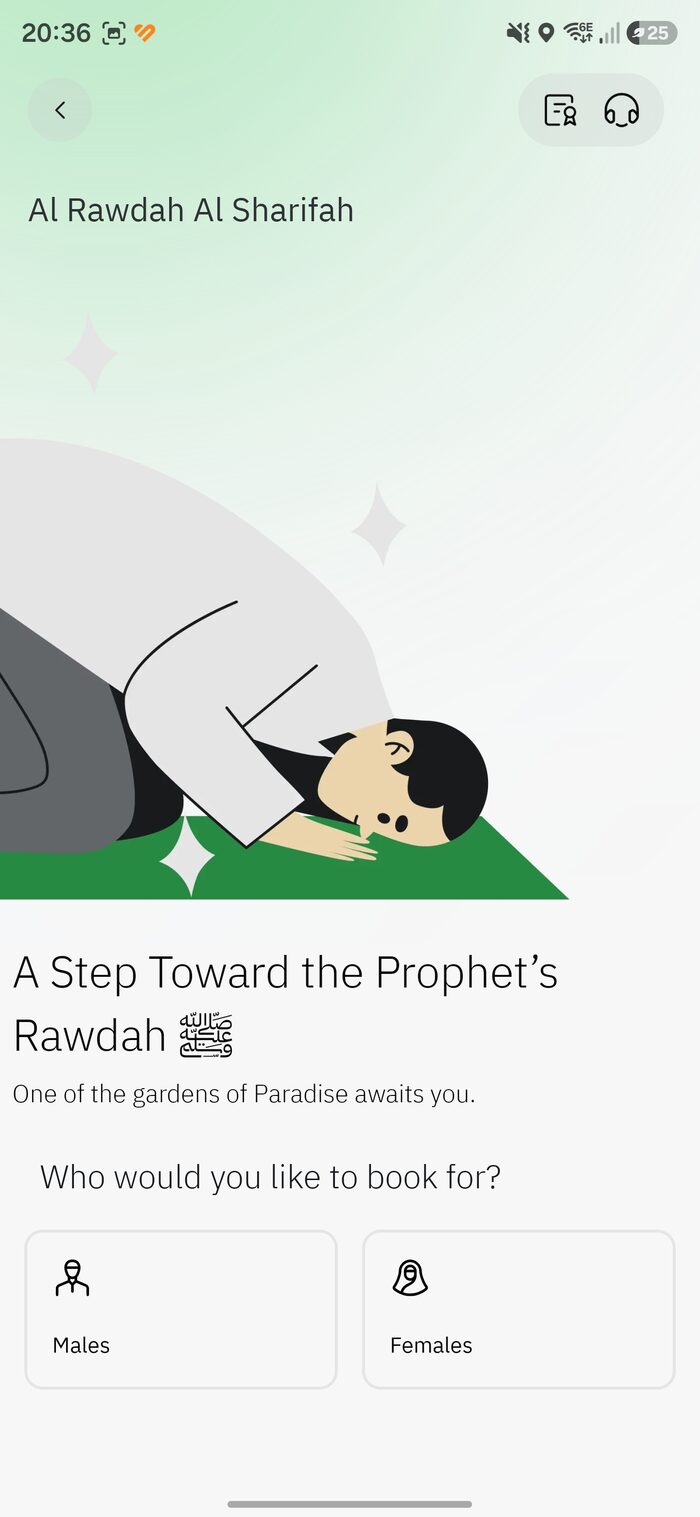
Tap the Rawdah tile. On the “Al Rawdah Al Sharifah” screen, choose Males or Females — they visit at different times, so for a mixed family you’ll make separate bookings.
Choose Males or Females -
2
Select the pilgrims
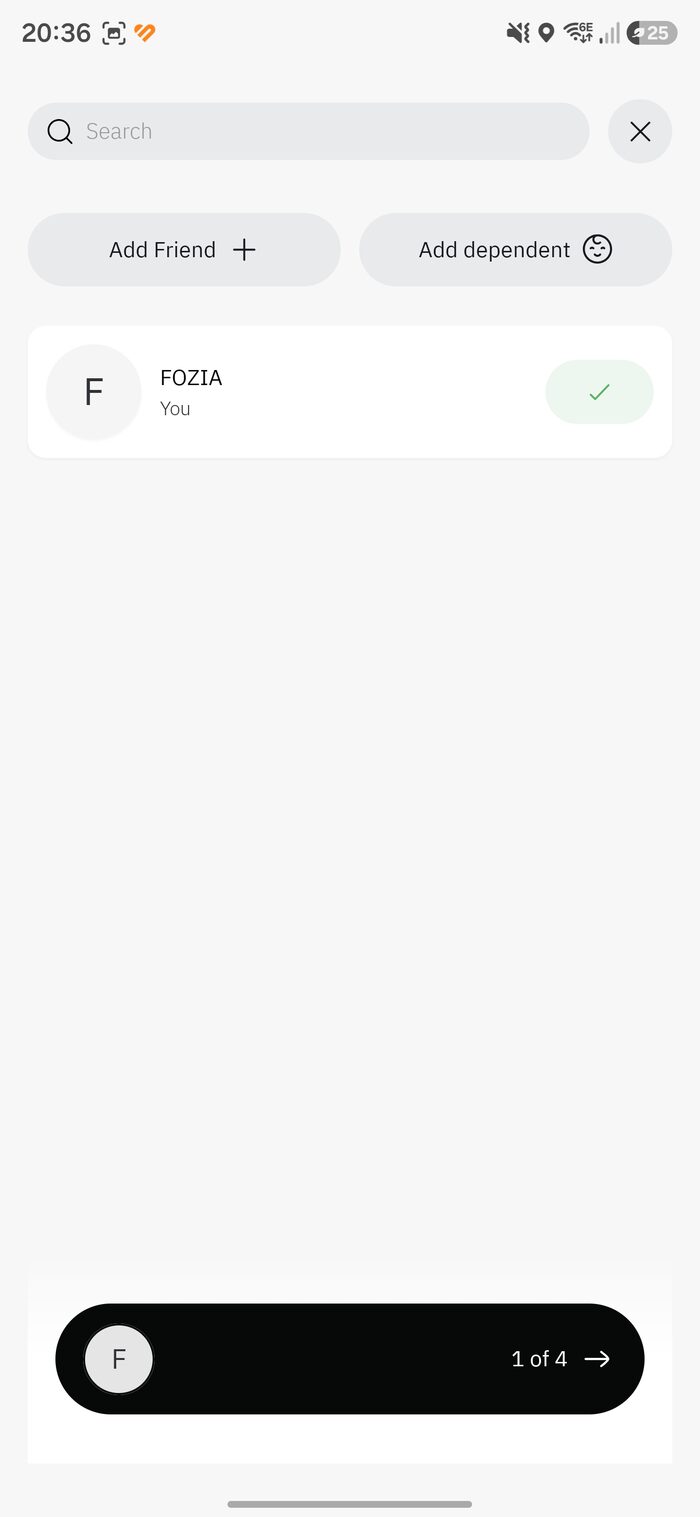
Your name is pre-selected (“You”). Add others with Add Friend or Add dependent. The bottom bar shows how many you’ve picked (e.g. “1 of 4”).
Select yourself + companions -
2a
Add a friend by Nusuk ID
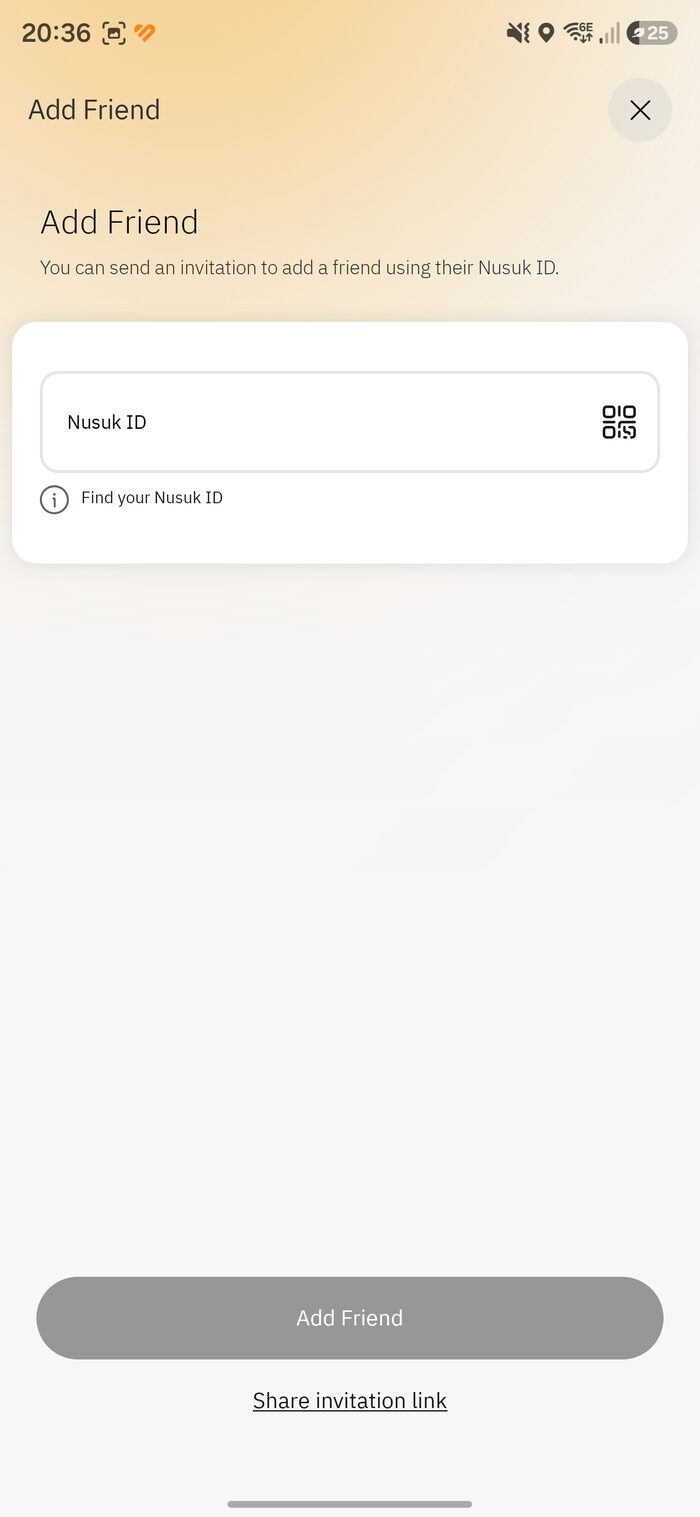
Every registered user has a Nusuk ID. Enter your friend’s ID (or scan their QR), then tap Add Friend. Use “Find your Nusuk ID” to locate your own.
Add a friend via Nusuk ID -
2b
…or invite by link
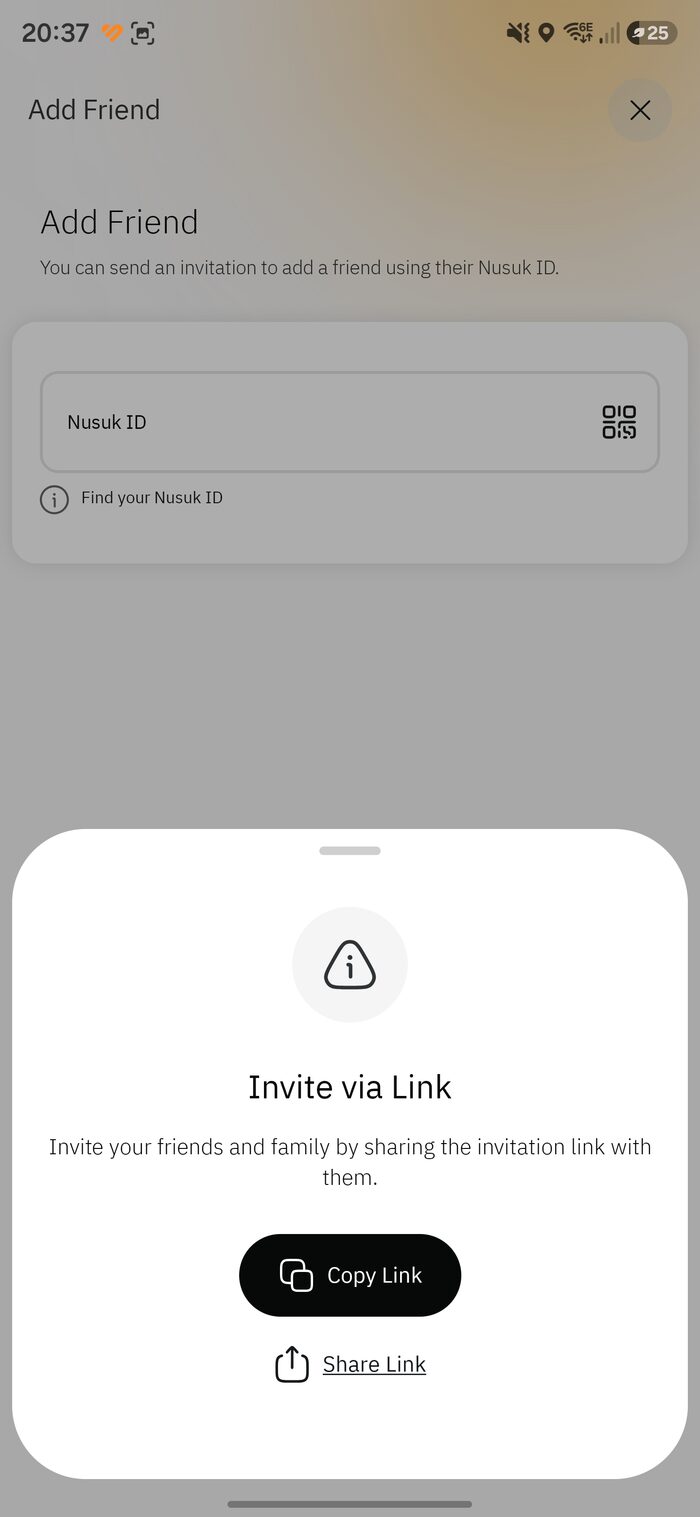
No ID handy? Tap Share invitation link and send it via WhatsApp or message. Your companion installs Nusuk, registers, and is linked to you.
Invite via link -
2c
Add an international companion
Add companions (including under-18s) with their details: nationality, GCC ID or passport, then verify with their border number or visa number. Tap Add Companion.
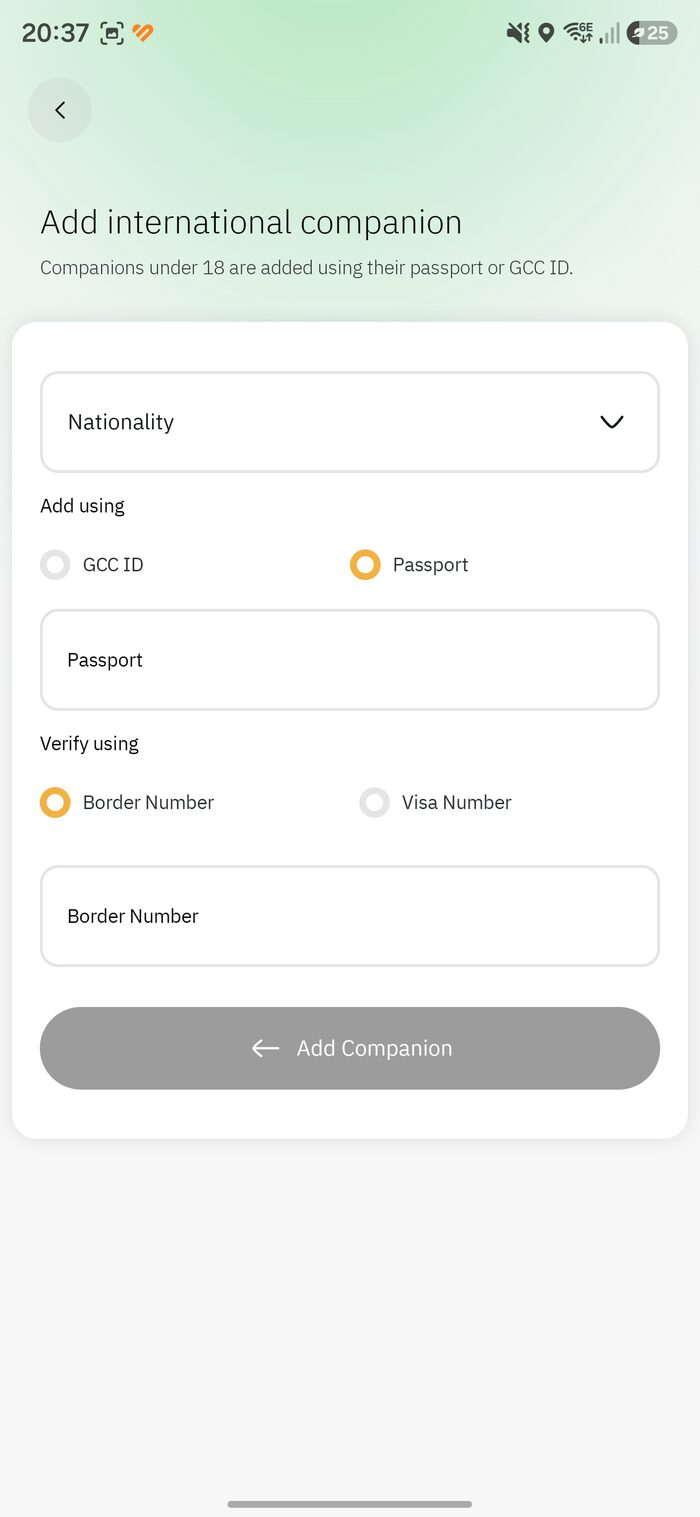
Companion by passport + border/visa -
3
Choose a date and time
Pick a date, a prayer-period tab (Midnight, Fajir, Dhuhr, Asr, Maghrib, Isha) and a time. The Arabic labels tell you the gender of each list:
- مواعيد الرجال = Men’s times
- مواعيد النساء = Women’s times
A small ⚡ means open now; an hourglass means seats are coming soon. Greyed times aren’t available for your selection.
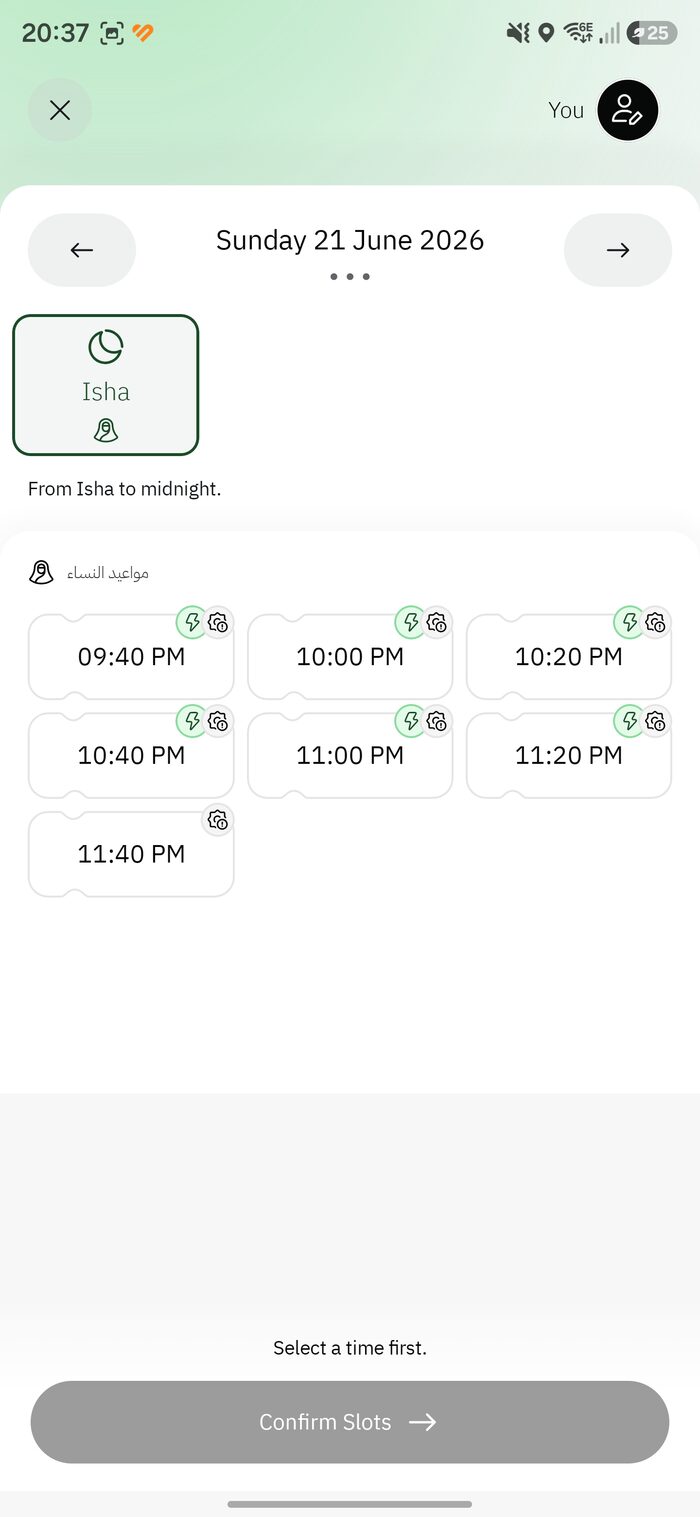
Time slots by prayer period -
3b
Reading the men’s vs women’s lists
Here the men’s early-morning times are greyed out while the women’s times for the same period are open. Availability shifts constantly — change the date or period, or check back shortly. (More in Find a Rawdah slot.)
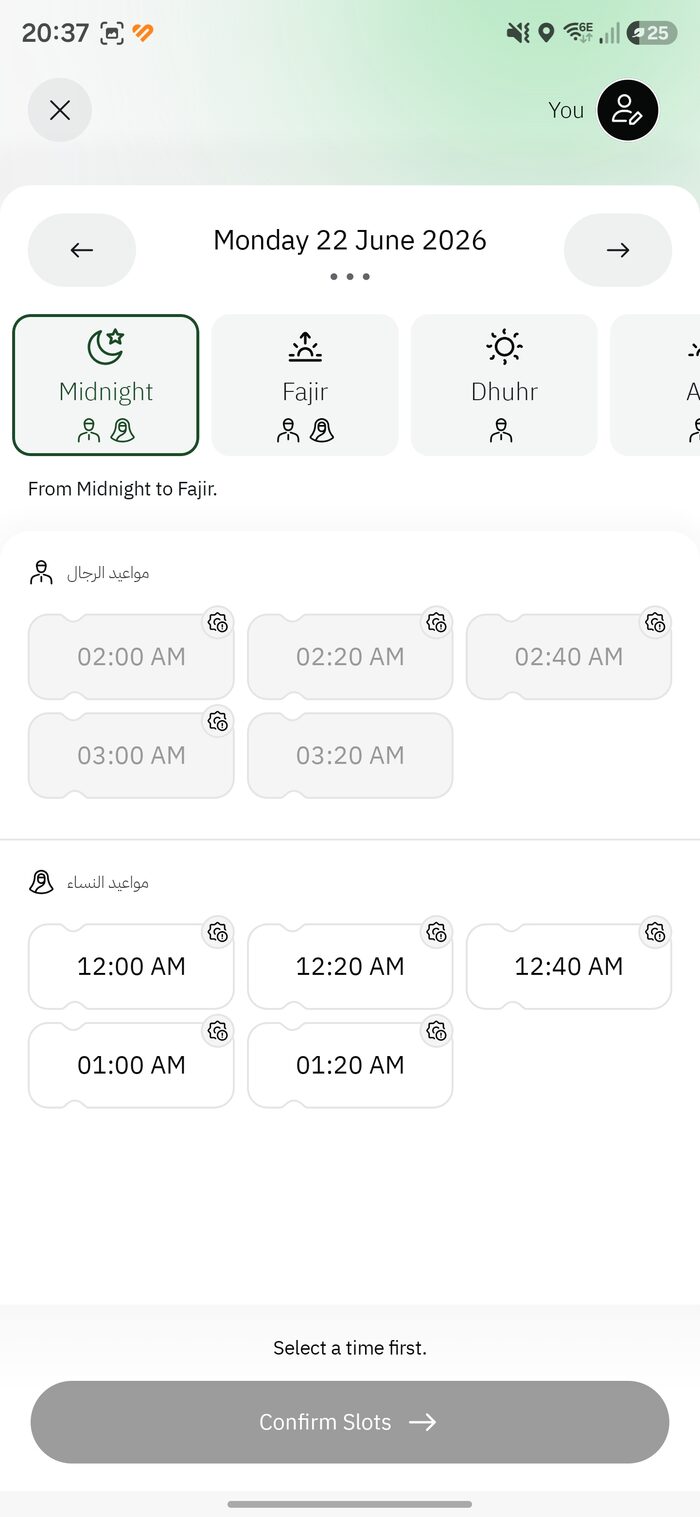
Men’s (top) vs women’s (bottom) -
4
Confirm your booking
Review the summary — “Your Blessed Visit to the Prophet’s Rawdah,” with date, time and period — note that entry is only permitted at the exact time, accept the terms, and tap Confirm Booking.
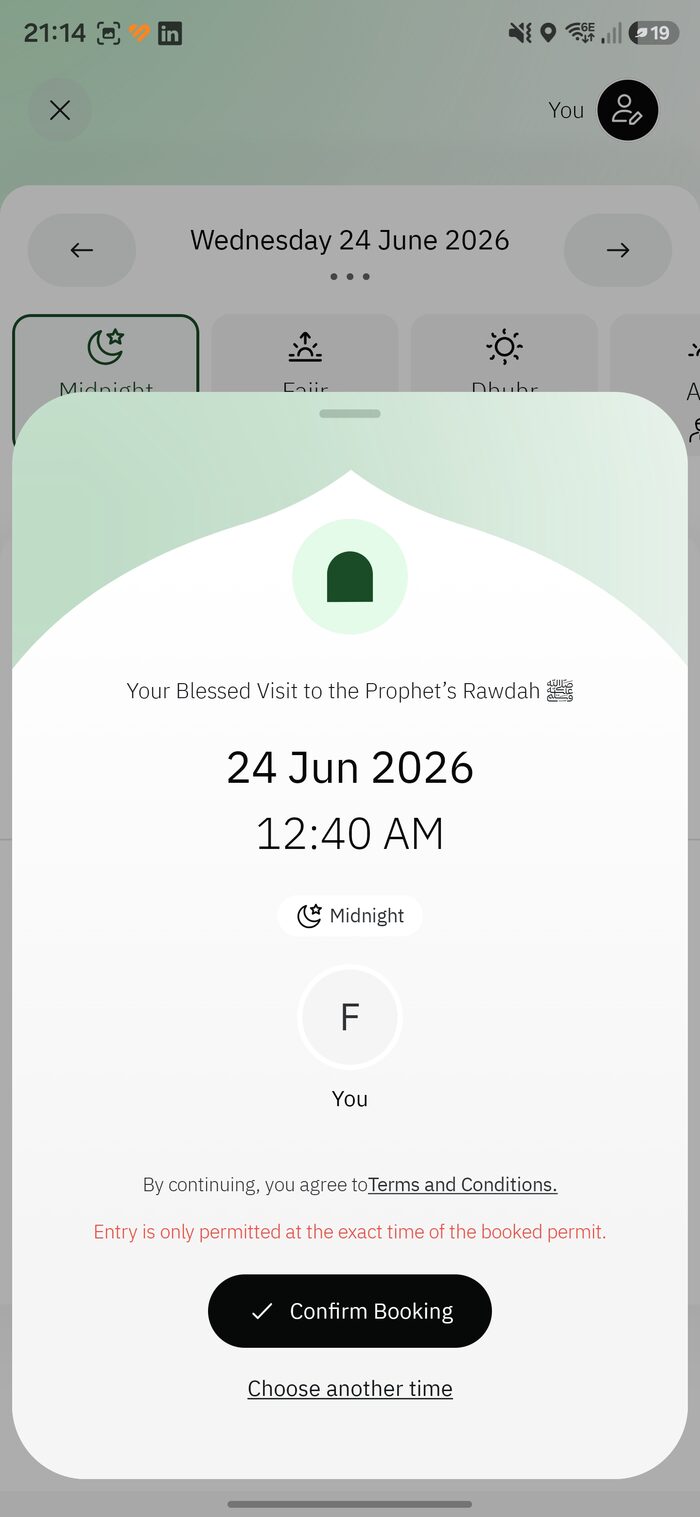
Confirm — exact time only -
5
Booking confirmed
You’ll see “Booking confirmed. May Your Visit Be Blessed,” with a reminder to arrive early. You’re not done yet — next you must confirm the visit. Continue to confirming your visit below.
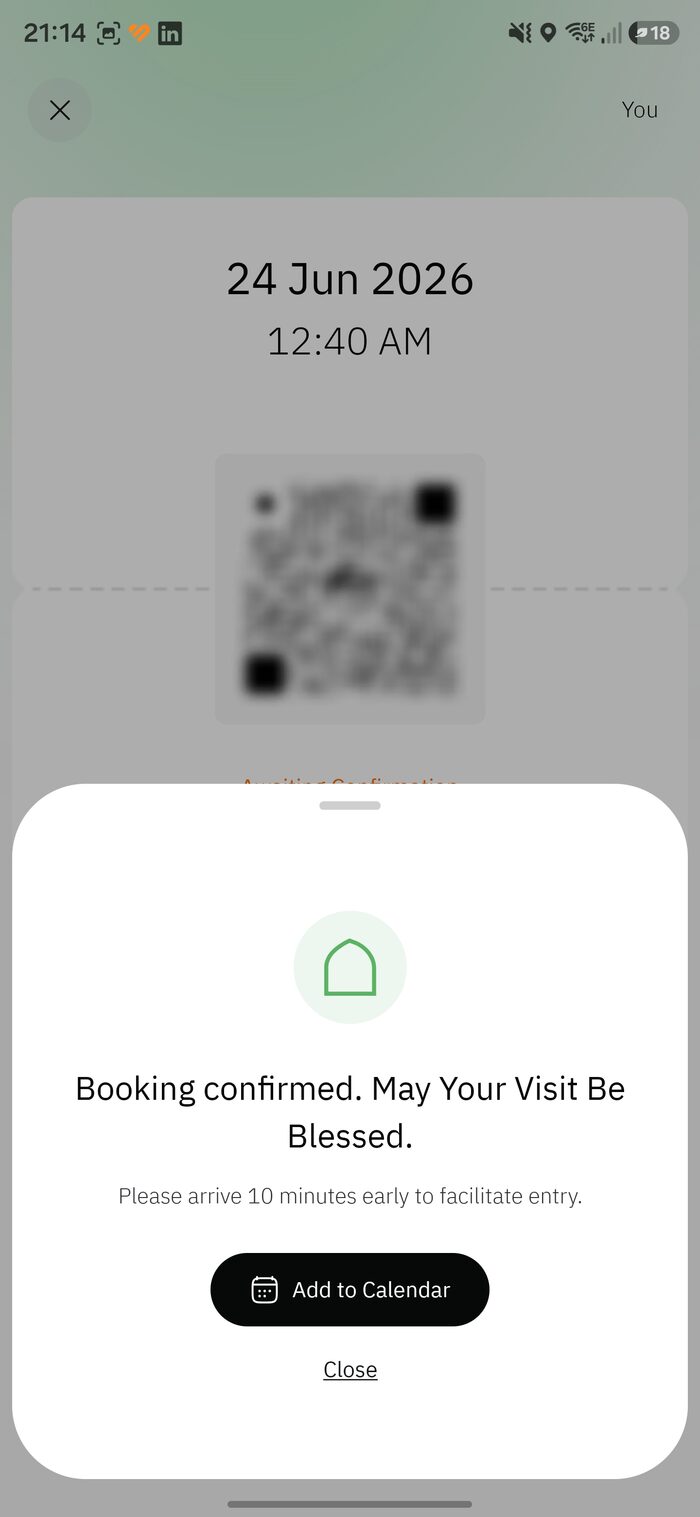
Confirmed — but confirm the visit next
03.2 Section
Confirm your Rawdah visit
Booking a slot is only half the job. Your permit starts as “Awaiting Confirmation,” and you must actively confirm it — at least 48 hours before your appointment — or the system can cancel it and release your seat.
Don’t lose your slotForgetting this step is the single most common way people lose a Rawdah booking they worked hard to get. Keep notifications on and confirm as soon as the option appears.
-
1
Open the permit and tap “Confirm the Visit”
While the booking shows “Awaiting Confirmation” (orange), open it and tap Confirm the Visit. Two reminders appear:
- “Your code will appear 2 hours before the appointment.”
- “Confirm your visit at least 48 hours in advance.”
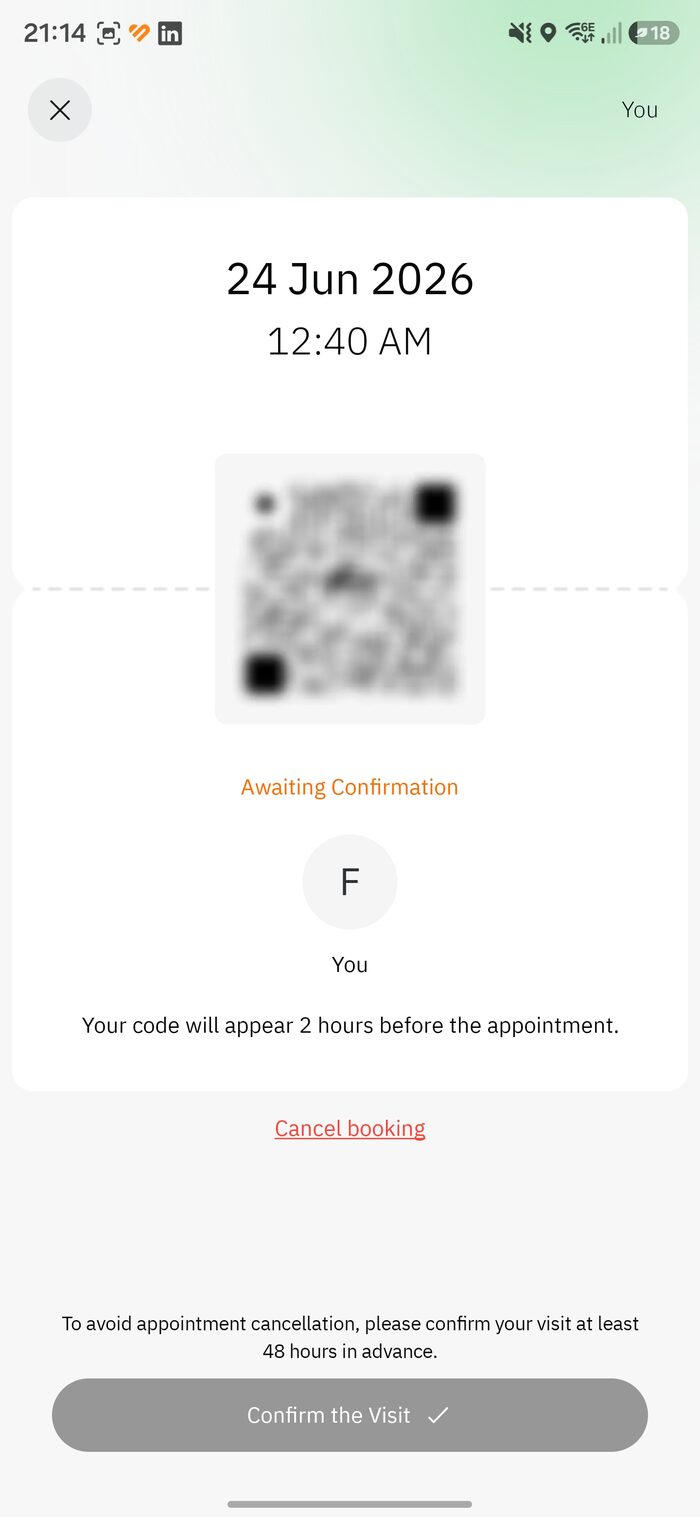
Awaiting Confirmation → Confirm the Visit -
2
Review the rules, then “Agree and Confirm”
A Terms & Conditions screen lists the items prohibited inside the Prophet’s Mosque. Make sure you won’t be carrying any of these, then tap Agree and Confirm.
- Large & medium bags
- Chemical & flammable items
- Laptops & pro cameras
- Weapons & sharp objects
- National flags & banners
- Food, drinks & water
-
3
“Reservation confirmed”
Once you agree, the status changes from the orange “Awaiting Confirmation” to a gold “Reservation confirmed.” Your visit is locked in. The QR / entry code still only appears 2 hours before your appointment, and you can re-open the permit any time to check the details. Next: head to the right gate — see Gates & timing.
03.3 Section
Cancelling a Rawdah booking
If your plans change, cancel as early as you can so the seat goes to another pilgrim. It’s a few taps and an optional reason.
-
1
Open the permit and tap “Cancel booking”
Open your Rawdah permit and tap Cancel booking. A check appears: “Are you sure you want to cancel the visit?” Tap Cancel the booking (or Close to keep it).
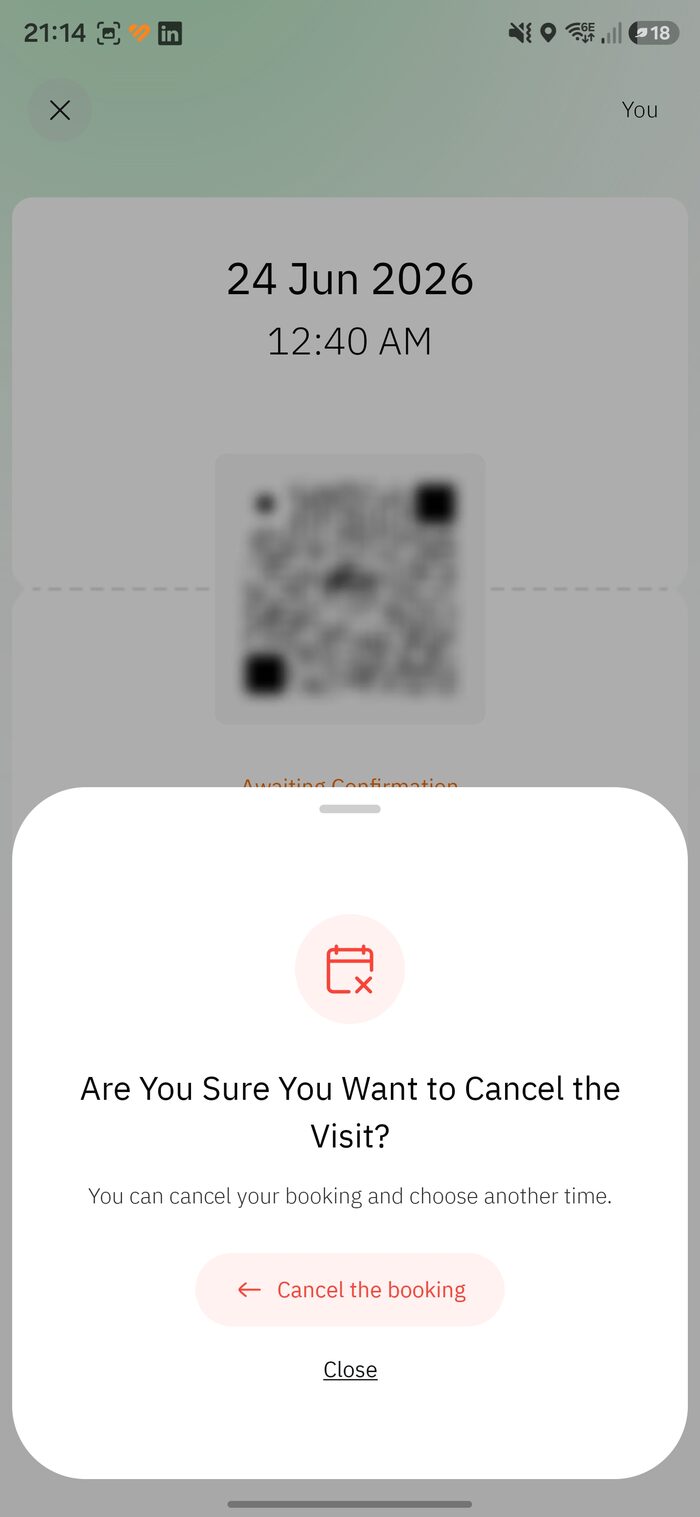
Confirm you want to cancel -
2
Choose a reason
Pick what fits — Health issue/emergency, Incorrect date/time, Change in visit plan, or Other. You’ll then see “Permit cancelled.”
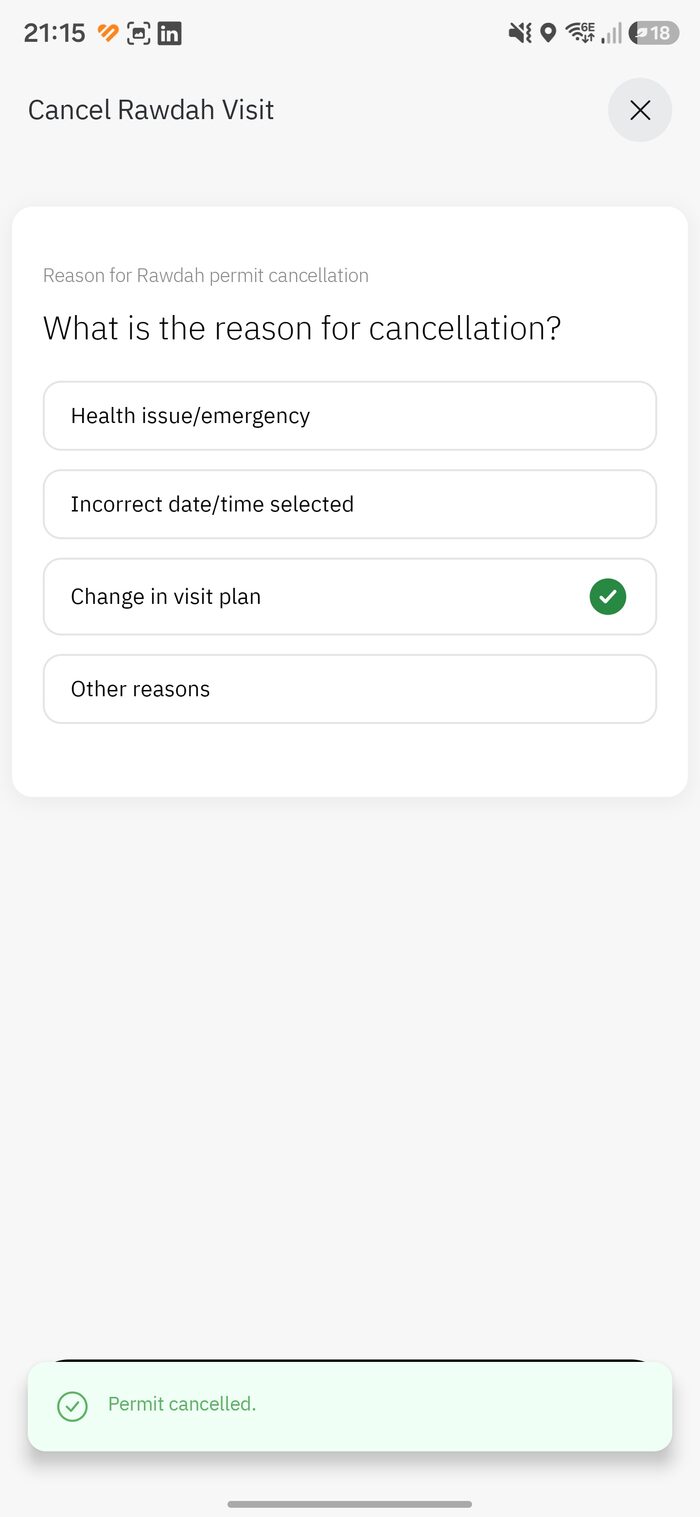
Reason → Permit cancelled
Think firstBecause the Rawdah is limited to once every 365 days, you may not be able to rebook within the same year — unless you qualify for Instant Track near the mosque. Only cancel if you’re sure.