04.1 Section
How to find a Rawdah slot
Rawdah seats are released in batches roughly every 20 minutes — the app even says “New Slots Every 20 Minutes.” If all you ever see is grey, “booked” or “Soon,” you’re probably just looking at the wrong moment. Here’s how to time it.
:00:20:40past every hour, KSA time — seats drop on these marks
How releases work
- Weekly drop: a big batch usually opens about 7–10 days ahead, often around Friday (KSA time).
- Rolling 20-minute batches: fresh seats and no-shows are released at :00, :20 and :40 past the hour.
- Cancellations: seats can turn green at any hour, including late at night.
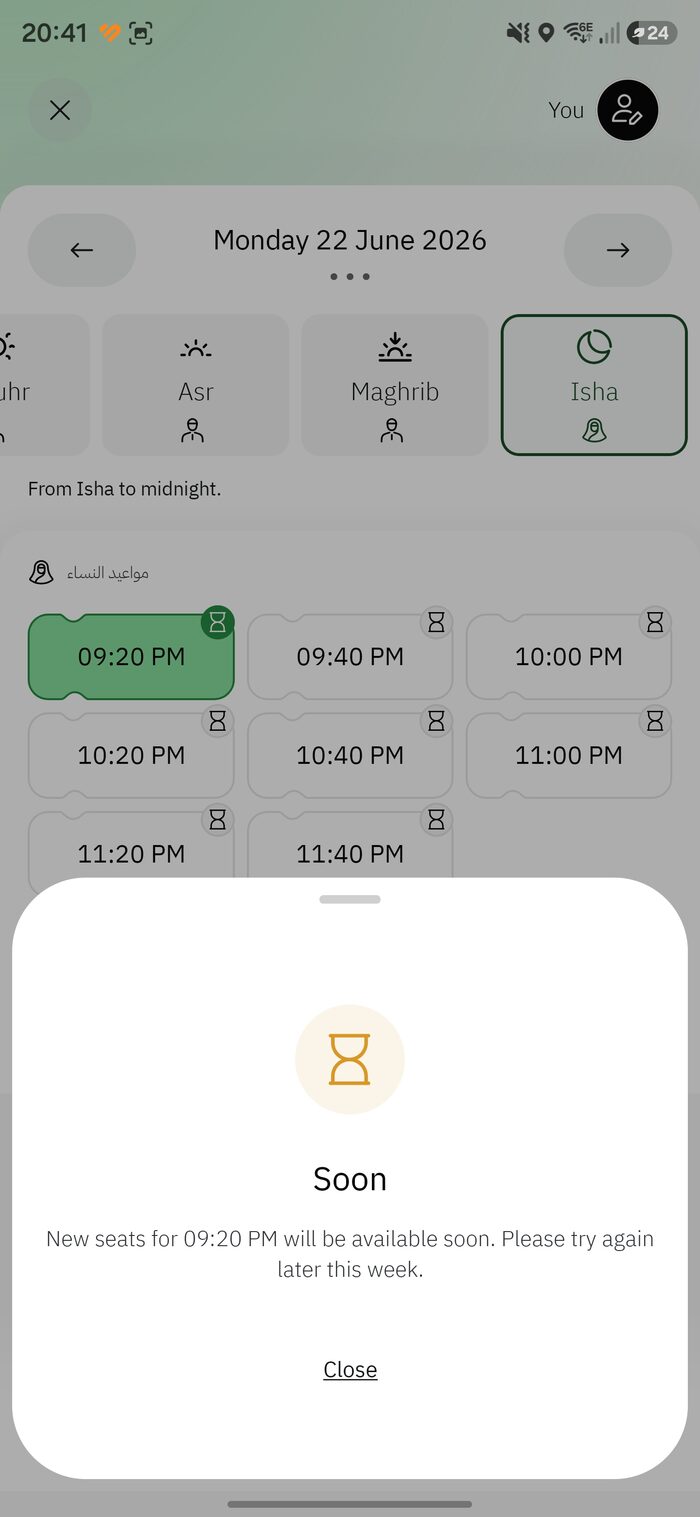
- The “Soon” badge means that batch hasn’t opened yet — it’s not an error.
The :00 / :20 / :40 refresh method
- Open the Rawdah booking and select your date and prayer period.
- A minute before :00, :20 or :40 (KSA time), keep the time list on screen.
- Exactly on the mark, refresh — pull down, or close and reopen the time screen.
- If green times appear, tap one and confirm immediately; they vanish in seconds.
- Nothing? Wait for the next mark, and try other prayer periods and nearby dates.
Don’t over-tapHammering refresh adds load and can briefly lock you out. One deliberate refresh on each 20-minute mark works far better.
TipBook before you fly. If you’re already in Madinah and stuck, see Instant Track.
04.2 Section
Already visited within 365 days? Instant Track
The standard rule is one Rawdah permit per person every 365 days. The exception: when you’re physically near the Prophet’s Mosque, the app can offer same-day “Instant Track” appointments — letting some visitors return even if a full year hasn’t passed.
How Instant Track works
Instant Track slots are unlocked by your location, not the calendar. The key conditions:
- You are in or right next to Masjid an-Nabawi in Madinah.
- You’ve enabled GPS / location permission for the Nusuk app.
- You request the booking at that moment — these are short-notice, same-day seats.
If those conditions are met, it’s not necessary for 365 days to have passed since your last visit.
Step by step
- Travel to the Prophet’s Mosque area first.
- Turn on Location and allow it for Nusuk (also enable it inside the app if prompted).
- Open Rawdah and start a booking; look for same-day / Instant times based on your location.
- Grab an available time, confirm, then head to your gate.
Why it might not showIf location is off, you’re too far away, or all near-term seats are taken, Instant Track won’t appear. Move closer, confirm location is on, and re-check on the 20-minute marks.
Pre-Hajj windowsFor short periods around Hajj the 365-day limit has sometimes been eased. These aren’t announced in advance, so it’s worth simply trying to book.